ADULT CARE · DEVICE PRACTICE
Practice using your LIFEPAK.
Learn where the buttons are and how to defibrillate, cardiovert and pace.
The practice screen may look or behave slightly differently from your real LIFEPAK. If anything feels unclear, or you feel unsure or uncomfortable using the device, we are happy to set up in-person, hands-on practice. Request it when you finish, or contact Dana at any time.
How to use this practice lab
- Choose your device. Select LIFEPAK 15 or 20, then a skill.
- Follow the next step. In Guided practice, the highlighted button shows you where to click. Use “Show me the button” to find it.
- Check your skills. Complete all three skills on either LIFEPAK 15 or LIFEPAK 20, then send your results. Only one model is required. You may correct mistakes and ask for a hint.
The team has already assessed the patient and selected the treatment. Your job here is to operate the device.
AED mode analyzes and advises shocks in the arrest practice below. Open the MANUAL door for direct energy selection, synchronized cardioversion or pacing.
Optional device practice. Your three skill checks on one model are still the completion requirement.SCENARIO 01 · DEFIBRILLATION
A sudden collapse
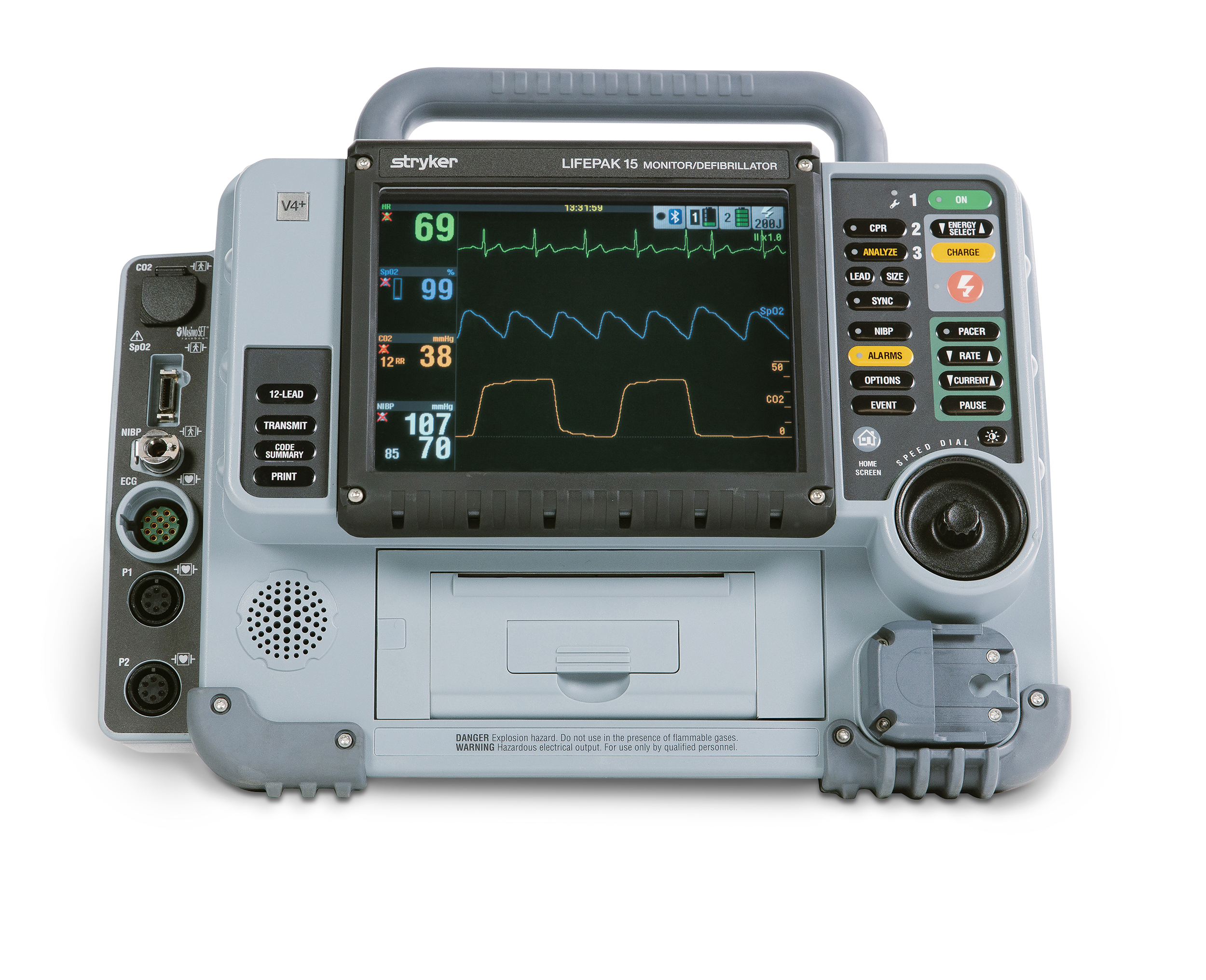
Turn the Speed Dial with the curved arrows (or arrow keys while the dial is focused). Press its center to select. The screen itself is not a touchscreen. Turn Sound on to hear the metronome demonstration.